 Zapio
How to watch IPTV on Roku with Zapio
Already have an IPTV subscription? This guide shows how to watch it on your Roku TV in about five minutes with Zapio IPTV Player: install, add your Xtream Codes account and start watching.
Zapio does not include any channels or content. It plays the playlist you get from your own provider. Only watch content you are legally allowed to watch.
1. What you need
- A Roku streaming player or Roku TV with Roku OS 15.1 or later.
- Your Xtream Codes details from your IPTV provider: a server URL (for example
http://example.com:8080), a username and a password. Or just your provider's M3U link: paste it in the server field.
2. Add Zapio to your Roku
- On your Roku remote, press Home and open the Streaming Store.
- Choose Search, type Zapio and select IPTV Player Zapio M3U Xtream.
- Choose Add app. Zapio appears on your Roku home screen.
Faster from a computer or phone: open Zapio on the Roku Channel Store, sign in with your Roku account and choose Add app. Zapio installs on your Roku within a few minutes (or right away if you restart it).
3. Add your playlist
The first time you open Zapio it asks for your playlist:
- Server URL or M3U link: type the server exactly as your provider gave it, including
http://and the port if there is one. - Username and Password: as in your provider's email.
- Name (optional): a name for this playlist, useful if you add more than one.
Typing with a remote is slow, so the screen also shows a QR code: scan it with your phone's camera and fill in the same form on your phone, with its keyboard. Your details are sent only to your TV over your home Wi-Fi and stay on your Roku.
4. Free preview, free trial and subscription
Browsing your channels, guide, movies and series is free, and so are the small previews: Live TV's preview and the one on movie and episode pages play up to an hour a day without a subscription, so you can check that your playlist works.
For full screen, Zapio Premium is needed: $2.99 per month or $19.99 per year, both with a 14-day free trial: nothing is charged during the trial. It is paid with Roku Pay, the payment method already on your Roku account: no new account, no card to type.
You can cancel anytime in your Roku account (see Questions). Already subscribed on another Roku? Use Restore purchase on the subscription screen.
5. Watch live TV, movies and series
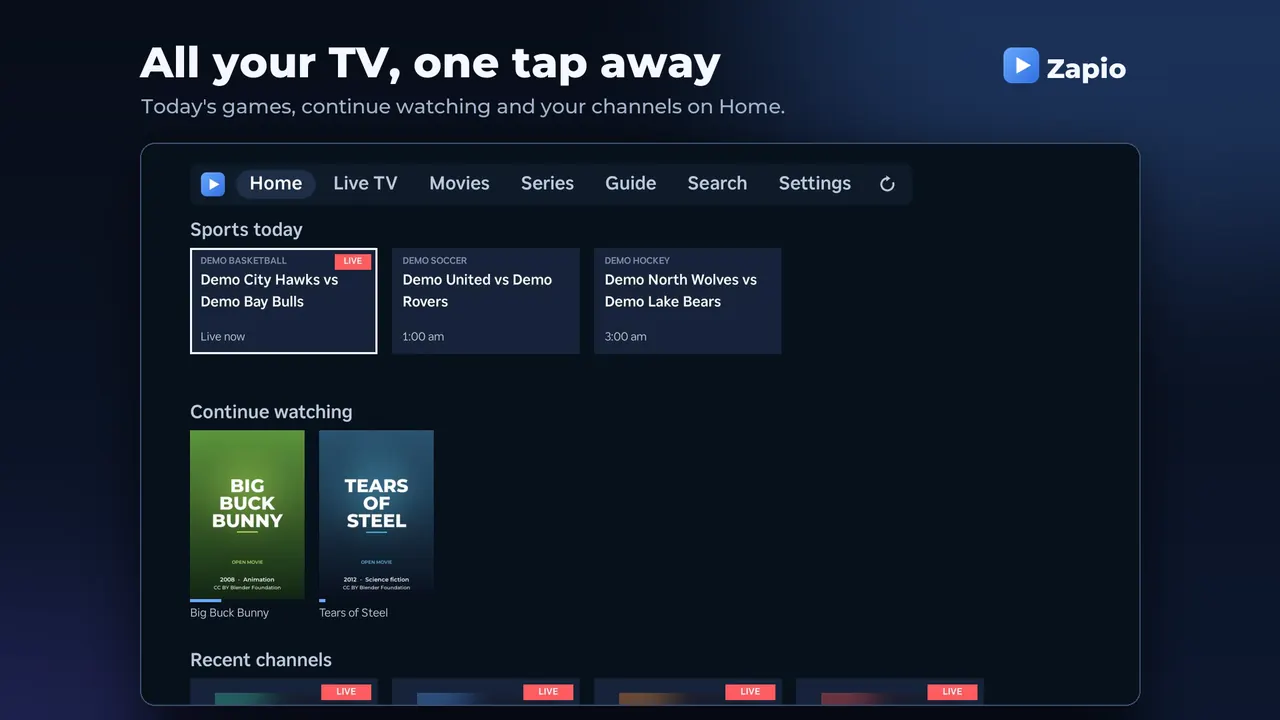
- Live TV: pick a category on the left and a channel on the right. While watching, Up/Down changes channel, Left opens the channel list and OK shows what's on.
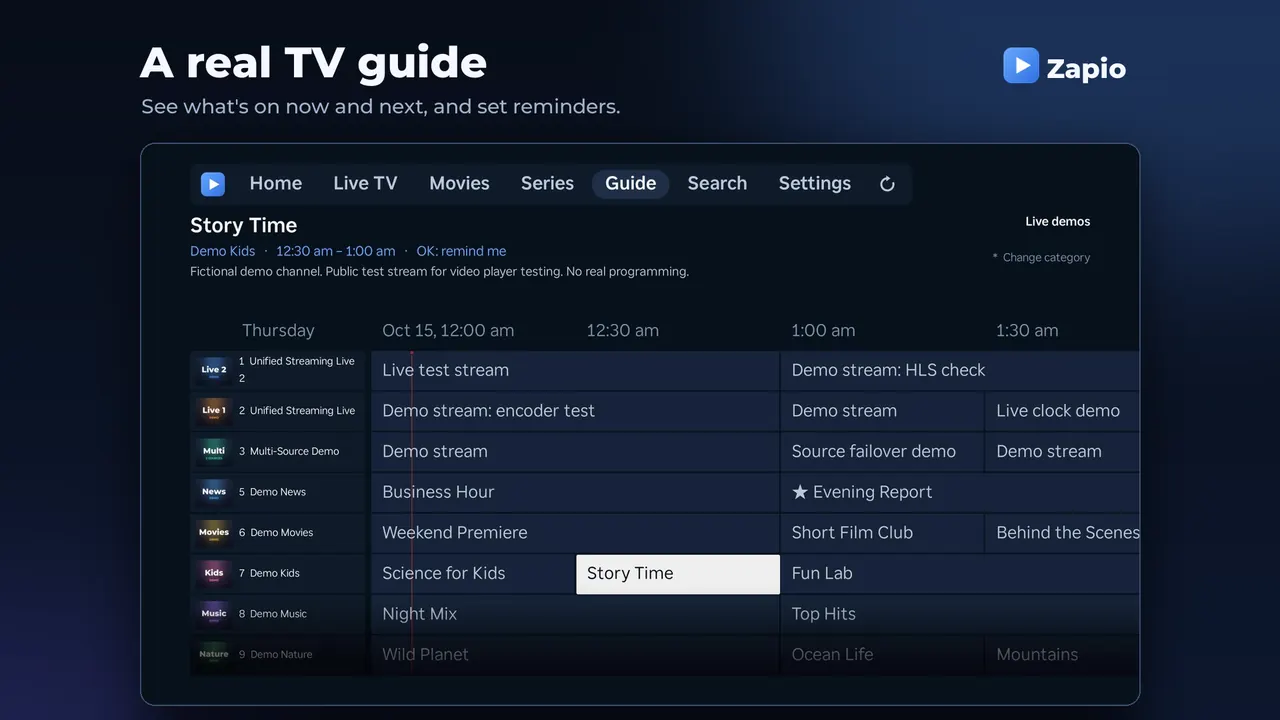
- Guide: see what's on now and next. Press OK on a programme that hasn't started to get a reminder (★).
- Movies and Series: pick up where you left off, with the next episode ready when one ends.
- Search: finds channels, movies and series at once.
6. Use your phone as a remote
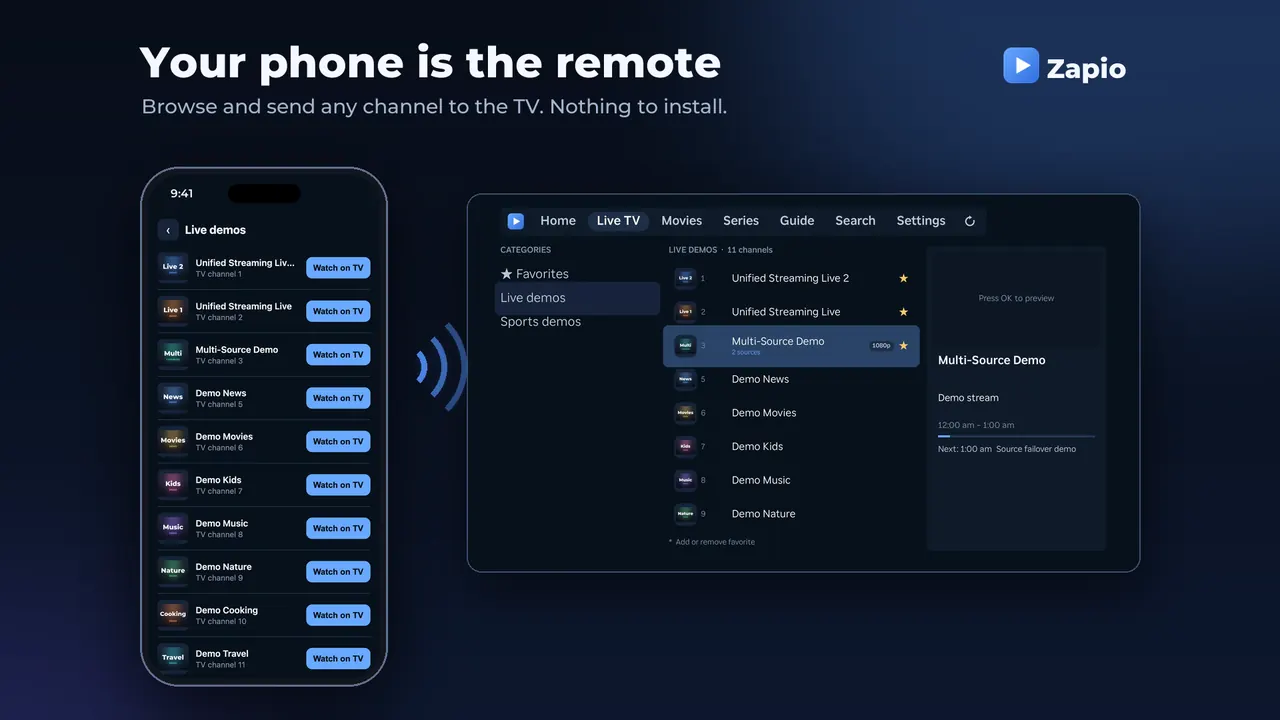
In Zapio, open Settings › Use your phone and scan the QR code. Your phone (on the same Wi-Fi) can then search, browse your channels, movies and series, and send any of them to the TV with Watch on TV. It also works as a remote: channel up/down, play/pause and the sleep timer. Nothing to install.
7. Tips
- Favorites: press * on a channel, movie or series to add it to your favorites.
- Tidy up categories: press * on a category to pin it to the top or hide it.
- Smart channels: when your provider lists the same channel several times (different servers or qualities), Zapio shows it once and switches to another source on its own if one fails.
- New channels missing? Use the ↻ button at the top, or Settings › Refresh content.
- More than one provider? Settings › Playlists lets you add another playlist and switch between them; each keeps its own favorites and history.
- Adult categories stay hidden behind a parental PIN you create in Settings.
8. Questions
Does Zapio include channels?
No. Zapio is only a player. You need your own playlist from an IPTV provider.
What kind of playlist does Zapio support?
Xtream Codes accounts (server URL, username and password). An Xtream M3U link from your provider (it contains get.php?username=) works too: Zapio reads the account from it. Any other M3U link works too: Zapio downloads the playlist (a big one can take a minute) and refreshes it every day. M3U playlists show no programme guide yet.
"Could not sign in" or the playlist doesn't load
Check the server URL character by character, including http:// or https:// and the port (the number after :). Make sure your subscription with the provider is active. If it works in another app but not in Zapio, contact us.
A channel doesn't play
Some channels (events, pay-per-view) only broadcast at certain times. If the channel has several sources, Zapio tries the others on its own; press Right while watching to choose one. If many channels fail, your provider may be having problems.
How do I cancel my subscription?
Go to my.roku.com, sign in and open Manage subscriptions, or on your Roku highlight Zapio on the home screen, press * and choose Manage subscription. You keep access until the end of the period you paid for (or the end of the free trial).
Is my playlist private?
Yes. Your playlist details are stored only on your Roku and are never sent to us. See the privacy policy.